About Us Impact News Pricing Contact Us Explore
Make a copy
About Us Impact News Pricing Contact Us Explore
Tools
Project-Based Learning Performance Assessment Student-Led Conferences Digital Portfolios
HTH GSE Kaleidoscope
Personalize your design more by filling out the framework elements.
Designed by the Professional Learning team at the High Tech High Graduate School of Education.
Learn more
Essential Question
What question will guide the project and learning?
Community Partners
What organizations and individuals will collaborate and enhance the learning experience?
Reflection
What opportunities are there for us to reflect on our academic and socio-emotional development?
Assessment
In what ways can we demonstrate what we have learned and how we have grown?
Exhibition
How and who will we celebrate our learning with?
Project Launch
What shared experiences will engage us in the content, skills, and mindsets of the project?
Core Content
What will we need to learn and practice in order to engage in the project?
Critique and Revision
How will opportunities for feedback and refinement be embedded in the project?
Product
What will we make, build, or do that will have an impact on us or the world around us?
Next
What question will guide the project and learning?

How can we design a robot that navigates a maze using coordinate points on a grid?

    Design for Mastery Kit
    NEW
5th Grade  Project 4 weeks

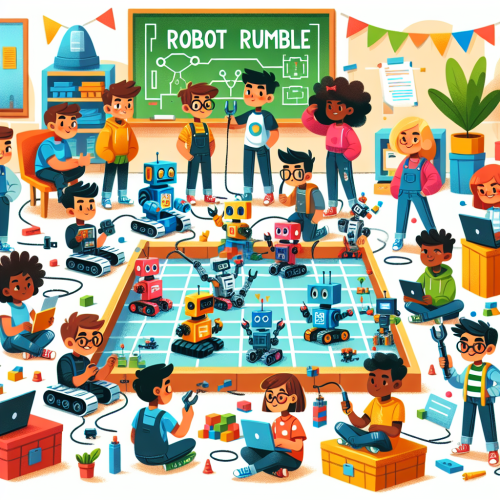
Robot Rumble: Build, Code, Conquer!

tongying b
CCSS.Math.Content.5.G.A.2
CCSS.Math.Content.5.G.B.3
Self Directed Learning
Academic Mindset
Critical Thinking & Problem Solving
1-pager

Purpose

The purpose of this project is to immerse 5th-grade students in a hands-on robotics program that integrates engineering, programming, and mathematical concepts. Through designing and building robots to navigate mazes using coordinate points, students will engage in real-world problem-solving and critical thinking. This experience aims to foster self-directed learning, enhance academic mindset, and strengthen community connections, culminating in a Robotics Expo where students showcase their creations and learning journey.

Learning goals

Students will develop a foundational understanding of robotics, engineering, and programming by designing and building robots to navigate mazes using coordinate points. They will apply mathematical concepts related to geometry and the coordinate plane, enhancing their spatial reasoning and problem-solving skills. Through collaboration and reflection, students will cultivate self-directed learning and academic mindsets, fostering a sense of identity and belonging while engaging with community partners and real-world applications.
Standards
  • [Common Core] CCSS.Math.Content.5.G.A.2 - Represent real world and mathematical problems by graphing points in the first quadrant of the coordinate plane, and interpret coordinate values of points in the context of the situation.
  • [Common Core] CCSS.Math.Content.5.G.B.3 - Understand that attributes belonging to a category of two-dimensional figures also belong to all subcategories of that category.
Competencies
  • Self Directed Learning - Students use teacher and peer feedback and self-reflection to monitor and direct their own learning while building self knowledge both in and out of the classroom.
  • Academic Mindset - Students establish a sense of place, identity, and belonging to increase self-efficacy while engaging in critical reflection and action.
  • Critical Thinking & Problem Solving - Students consider a variety of innovative approaches to address and understand complex questions that are authentic and important to their communities.

Products

Students will design and build robots capable of navigating mazes using coordinate points, showcasing their creations at the Robotics Expo. They will collaboratively create a mural that visually represents their robot-building journey, including diagrams and reflections, to be displayed at the Expo. Additionally, students will design educational posters that break down the robot creation and maze navigation steps, providing Expo attendees with insights into their learning process.

Launch

To kick off the robotics program, students will participate in a 'Robot Maze Challenge Kickoff' event. During this activity, teams will use remote-controlled robots to navigate a simple maze, introducing them to the concept of using coordinate points for navigation. This hands-on experience will stimulate curiosity and excitement, setting the stage for the project by demonstrating the real-world application of mathematical concepts in robotics.

Exhibition

The Robotics Expo will feature interactive booths where students proudly display their robots and share insights on the engineering and mathematical concepts they applied. Attendees will have the opportunity to engage with the students, ask questions, and learn through hands-on demonstrations. Students will also present their collaborative mural and educational posters, showcasing their journey and process, fostering a deeper understanding of robot creation and maze navigation.
Learning Journey
Project Activities
Days 1 - 20
Milestone Activities
No activities have been added to this phase yet.

Edit Phase

Loading...
Plan
Week 1
Day 1
Day 2
Day 3
Day 4
Day 5
Phase
Project Activities
Activities
Project Introduction and Essential Question
Activity (Deprecated) 15m
Robot Maze Challenge Kickoff
Activity (Deprecated) 30m
Introduction to Coordinate Grids
Activity (Deprecated) 20m
Designing a Simple Maze
Activity (Deprecated) 25m
Introduction to Basic Programming Concepts
Activity (Deprecated) 20m
Programming Practice
Activity (Deprecated) 25m
Robot Design Brainstorm
Activity (Deprecated) 20m
Robot Sketching
Activity (Deprecated) 25m
Robot Design Sharing and Feedback
Activity (Deprecated) 20m
Revising Robot Designs
Activity (Deprecated) 25m
Preparation
Week 2
Day 6
Day 7
Day 8
Day 9
Day 10
Phase
Project Activities
Activities
Programming Basics Introduction
Activity (Deprecated) 20m
Coordinate Grid Exploration
Activity (Deprecated) 25m
Robot Design Brainstorm
Activity (Deprecated) 20m
Sketch and Plan
Activity (Deprecated) 25m
Collaborative Building Session
Activity (Deprecated) 30m
Reflection and Feedback
Activity (Deprecated) 15m
Programming Practice
Activity (Deprecated) 30m
Design Critique Preparation
Activity (Deprecated) 15m
Design Critique Day
Activity (Deprecated) 45m
Preparation
Week 3
Day 11
Day 12
Day 13
Day 14
Day 15
Phase
Project Activities
Activities
Prototype Refinement
Activity (Deprecated) 25m
Advanced Programming Concepts
Activity (Deprecated) 20m
Maze Path Optimization
Activity (Deprecated) 25m
Hands-On Programming Practice
Activity (Deprecated) 20m
Collaborative Problem Solving
Activity (Deprecated) 25m
Feedback Session with Engineers
Activity (Deprecated) 20m
Final Robot Assembly
Activity (Deprecated) 30m
Reflection Circle
Activity (Deprecated) 15m
Test Run and Adjustments
Activity (Deprecated) 30m
Poster and Mural Planning
Activity (Deprecated) 15m
Preparation
Week 4
Day 16
Day 17
Day 18
Day 19
Day 20
Phase
Project Activities
Activities
Final Programming Adjustments
Activity (Deprecated) 20m
Robot Testing and Iteration
Activity (Deprecated) 25m
Collaborative Mural Creation
Activity (Deprecated) 20m
Educational Poster Design
Activity (Deprecated) 25m
Peer Review and Feedback
Activity (Deprecated) 20m
Mural and Poster Refinement
Activity (Deprecated) 25m
Robotics Expo Preparation
Activity (Deprecated) 20m
Final Reflection Circle
Activity (Deprecated) 25m
Robotics Expo
Activity (Deprecated) 45m
Preparation
Share
Loading
Loading
Get it on Google Play
© 2026 Inkwire Inc
Contact Us Privacy Policy Terms of Service