About Us Impact News Pricing Contact Us Explore
Make a copy
About Us Impact News Pricing Contact Us Explore
Tools
Project-Based Learning Performance Assessment Student-Led Conferences Digital Portfolios
HTH GSE Kaleidoscope
Personalize your design more by filling out the framework elements.
Designed by the Professional Learning team at the High Tech High Graduate School of Education.
Learn more
Essential Question
What question will guide the project and learning?
Community Partners
What organizations and individuals will collaborate and enhance the learning experience?
Reflection
What opportunities are there for us to reflect on our academic and socio-emotional development?
Assessment
In what ways can we demonstrate what we have learned and how we have grown?
Exhibition
How and who will we celebrate our learning with?
Project Launch
What shared experiences will engage us in the content, skills, and mindsets of the project?
Core Content
What will we need to learn and practice in order to engage in the project?
Critique and Revision
How will opportunities for feedback and refinement be embedded in the project?
Product
What will we make, build, or do that will have an impact on us or the world around us?
Next
What question will guide the project and learning?

(1) What are the key communication strategies needed to collaborate with teachers and the technology department in troubleshooting Chromebook issues?
(2) How can we apply our understanding of technology to develop a system for prioritizing and managing Chromebook repair requests efficiently?

    Design for Mastery Kit
    NEW
All grades  Project 20 weeks

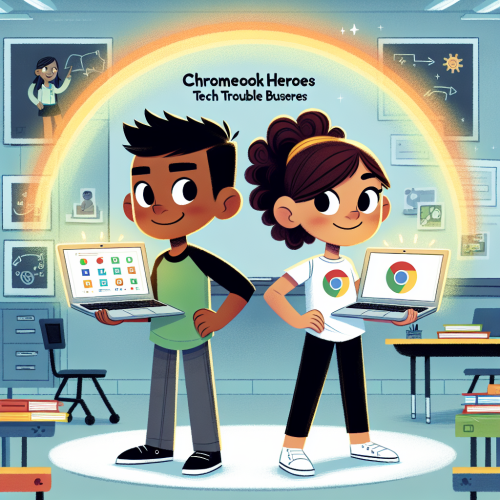
"Chromebook Heroes: Tech Trouble Busters!"

Angela K
1B-CS-03
1B-AP-16
1B-CS-02
Self Directed Learning
Academic Mindset
+ 1 more
1-pager

Purpose

The purpose of this project is to immerse students in real-world technical challenges by forming a collaborative Tech Support Club that addresses Chromebook issues within the school community. Through hands-on workshops and peer-led sessions, students will develop critical thinking and problem-solving skills while enhancing their understanding of computer systems. This experience fosters self-directed learning and strengthens students' sense of belonging and identity as they contribute meaningfully to their school environment.

Learning goals

Students will develop troubleshooting skills by learning to identify and resolve common Chromebook hardware and software issues. They will enhance their communication abilities through collaboration with teachers and the technology department, focusing on effective strategies for problem-solving and repair management. By participating in the Tech Support Club and creating instructional videos, students will gain experience in peer teaching and conveying technical concepts, fostering a sense of community and belonging. Through critical reflection and action, students will build self-directed learning habits and establish an academic mindset, contributing to their overall self-efficacy and identity within the school environment.
Standards
  • [Computer Science Teachers Association] 1B-CS-03 - Determine potential solutions to solve simple hardware and software problems using common troubleshooting strategies.
  • [Computer Science Teachers Association] 1B-AP-16 - Take on varying roles, with teacher guidance, when collaborating with peers during the design, implementation, and review stages of program development.
  • [Computer Science Teachers Association] 1B-CS-02 - Model how computer hardware and software work together as a system to accomplish tasks.
Competencies
  • Self Directed Learning - Students use teacher and peer feedback and self-reflection to monitor and direct their own learning while building self knowledge both in and out of the classroom.
  • Academic Mindset - Students establish a sense of place, identity, and belonging to increase self-efficacy while engaging in critical reflection and action.
  • Critical Thinking & Problem Solving - Students consider a variety of innovative approaches to address and understand complex questions that are authentic and important to their communities.

Products

Students will establish a 'Tech Support Club' offering regular drop-in sessions to assist peers and teachers with Chromebook issues, demonstrating their problem-solving capabilities and fostering a supportive community environment. They will also produce a video series that documents the diagnosis and repair process of common Chromebook problems, showcasing their technical skills and collaborative strategies. These products will serve as practical tools and resources for the school community, while also providing students with tangible evidence of their learning and achievements.

Launch

Initiate the project with a "Chromebook Challenge Day" where students rotate through interactive stations simulating common Chromebook issues. Each station presents a unique problem to solve, encouraging students to apply critical thinking and collaborate with peers. This immersive experience sets the stage for the project, sparking curiosity and motivation while providing a preview of the skills they will develop.

Exhibition

Organize a 'Tech Talk Night' where students host a panel discussion to share their experiences, highlight the most challenging Chromebook repairs, and demonstrate their troubleshooting skills. Invite community members, parents, and other students to engage with the panel, ask questions, and learn about the students' problem-solving processes. Display the video series created by the students, showcasing their journey and the technical skills they developed throughout the project.
Learning Journey
No learning journey yet!
Plan

No plan yet

Create a Learning Journey first to generate your activity plan. The plan view will show your activities organized by day and week.

Share
Loading
Loading
Get it on Google Play
© 2026 Inkwire Inc
Contact Us Privacy Policy Terms of Service